A record with context
Different sessions.
The right measure for each.
Repetitions, time under load, and distance describe different things. WorkMetric keeps the formula alongside the set, so you can return to the details that made it yours.
01 / The session instrument
Put a number
to the set.
Choose a measure, adjust the values, then add a set to the example log.
Repetition volume
320kg·reps
40 kg × 8 reps
The stack follows this example’s input range.
An interactive example. Nothing here is saved to your training history.
Your example log
Repetition volume
Add a set to see it take its place. Adjust the values and add another.
No example sets yet.
Each measure has its own log and units. These totals are training measures, rather than energy in joules.
02 / In the app
A few inputs.
A record you can revisit.
The entry form follows your chosen formula. Keep the exercise, values, and session time together, then return to them in your history.

Browse the movement catalog and its formula tags.

A next-evolution suggestion accompanies Load × Reps entries.
03 / History, with context
Return to the details.
See how they change.
Filter by exercise, formula, or date range. Load × Reps entries can show a next-evolution suggestion; Pro adds training-load views and goal projections.
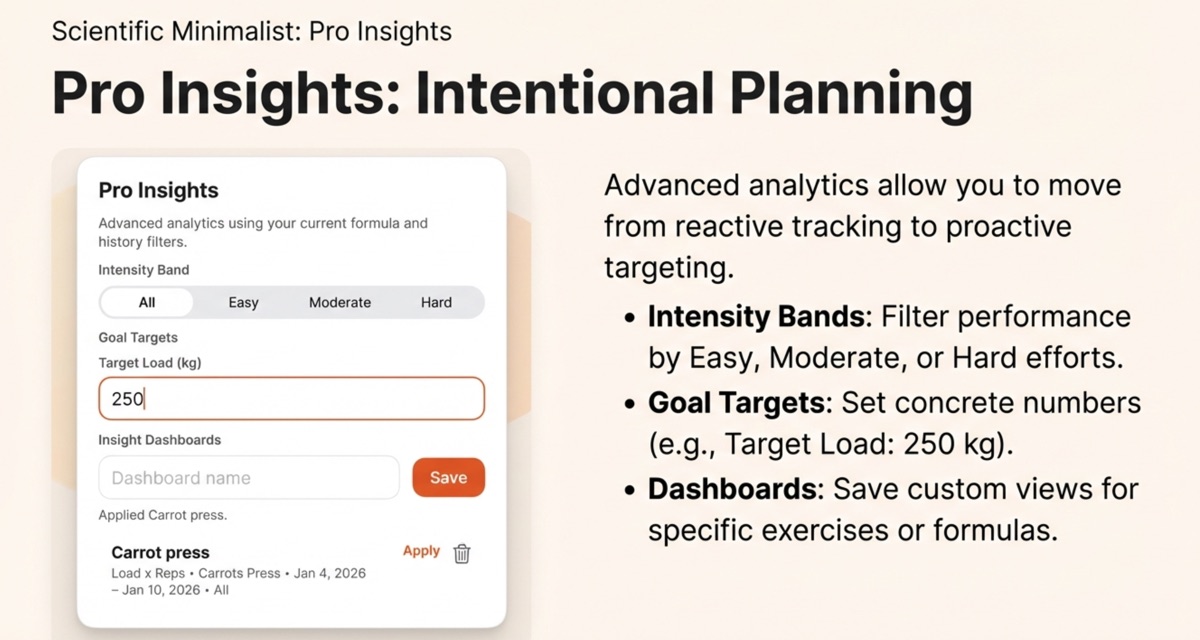
Pro settings keep your exercise filters and targets together.
A projection is an estimate from the log. Exercise choice, technique, and context still matter.
04 / Your data, your device
The record
stays with you.
WorkMetric stores your training data on your device. No account is required.
- Platform
- Native iOS
- Storage
- On device
- Account
- Not required